How to Change DNS on PS5 and Xbox for Faster Downloads
You may have read that changing your DNS makes console downloads faster. The honest version is more modest: it can help in some homes, it does nothing in others, and it never raises the speed of your plan. This guide explains what DNS is, how to change it on PS5 and Xbox, and how to check whether it helped.
It is one of several steps before the GTA 6 preload, which opens on November 12, 2026, with launch on November 19. Rockstar has not published an official install size, so a steady connection is worth the effort.
What DNS is
DNS is the system that turns a web address into the location of a server, a bit like a phone book. Every time your console connects to a store or a game server, it asks a DNS service where to go. Your internet provider gives you one by default.
Why it can help, and why it may not
- A slow or unreliable default. If your provider's DNS is slow, connections can take longer to start or fail now and then. A different DNS can help.
- It does not change your plan speed. A download is limited by your plan, your Wi-Fi and the server. DNS only affects how quickly the connection begins.
- The result depends on the provider and your home. For many people, the effect is small or none.
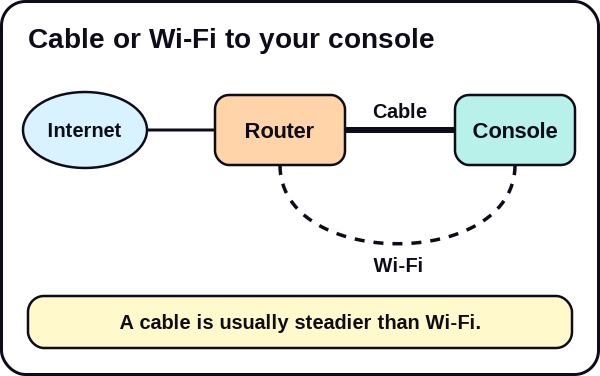
So treat it as a low-cost step to try, not a fix. If your speed is far below your plan, start with the bigger causes: a cable, Wi-Fi, other devices. See Wi-Fi vs Ethernet for PS5 and Xbox downloads.
Before you start: measure
Test your speed first, so you can compare. Our guide on testing your internet speed on PS5 and Xbox shows how. Run it a few times and note the results.
DNS addresses you can use
Two widely used public services:
| Service | Primary | Secondary |
|---|---|---|
| 8.8.8.8 | 8.8.4.4 | |
| Cloudflare | 1.1.1.1 | 1.0.0.1 |
A public DNS provider sees which addresses your console looks up, so read its privacy policy before you choose.
How to change DNS on PS5
- Go to Settings, then Network, then Settings.
- Choose Set Up Internet Connection and pick your connection.
- Choose Advanced Settings.
- Set DNS Settings to Manual.
- Enter the primary and secondary addresses, and confirm.
Sony's own advice is that if you are not familiar with advanced settings, you should ask your internet provider first.
How to change DNS on Xbox
- Press the Xbox button to open the guide.
- Go to Profile & system, then Settings, then General, then Network settings.
- Choose Advanced settings, then DNS settings.
- Choose Manual and enter the primary and secondary addresses.
Test again
After you save the change, run the speed test again, several times. Compare it with your earlier results.
- Better or steadier? Keep it.
- The same? The change made no difference. You can keep it or go back.
- Worse, or the connection fails? Go back to Automatic.
How to go back to Automatic
Open the same menu and set DNS Settings back to Automatic, then save. Your console will use your provider's DNS again.
If nothing helps
If your speed is still far below your plan, DNS is not the cause. Work through the rest of the list:
- Use a cable, or the 5 GHz band.
- Pause other devices.
- Restart the console and the router.
- Try off-peak hours.
Our guides have the full lists for PS5 and Xbox. And if the cable gives you far less than you pay for, the cause may be your router, your modem or your provider, so tell them the numbers.
The short version
- DNS turns addresses into locations. Changing it may help the connection start more reliably, but it does not raise your plan speed.
- PS5: Settings, Network, Settings, Set Up Internet Connection, Advanced Settings, DNS Settings, Manual. Xbox: Settings, General, Network settings, Advanced settings, DNS settings.
- Test before and after, and go back to Automatic if it does not help.
See our Network & Download Speed hub and the GTA 6 setup checklist.
We update this guide when Sony or Microsoft change these steps.
Frequently asked questions
Will changing DNS make my downloads faster?
Not necessarily. It does not raise the speed of your plan. It can help if your provider's default DNS is slow or unreliable, and the effect may be none.
Which DNS should I use?
Public services such as Google (8.8.8.8 and 8.8.4.4) and Cloudflare (1.1.1.1 and 1.0.0.1) are widely used. Check each provider's own documentation and privacy policy.
Can I go back to the default?
Yes. Set DNS back to Automatic in the same menu.
Is it safe to change DNS?
It is a normal setting. Sony advises asking your provider if you are unsure about advanced settings, so change only what you understand.