How to Check Free Storage on Any PS5 or Xbox in 30 Seconds
Before you can plan for GTA 6, you need to know one number: how much free space your console has. It takes about 30 seconds.
Rockstar has not published the GTA 6 install size, so there is no target number yet. But knowing your free space now tells you whether you have a lot of work to do before the preload on November 12, 2026.
On PS5
- Turn on your PS5 and open Settings from the home screen.
- Go to Storage.
- Open Console Storage to see used and free space.
- Open Games and Apps to see what is using space, if you want the detail.
Write down the free number.
On Xbox Series X or Series S
- Press the Xbox button to open the guide.
- Go to Profile & system, then Settings.
- Choose System, then Storage devices.
- Select your drive to see used and free space.
If you have an expansion card or an external drive, each is listed separately.
What the numbers mean
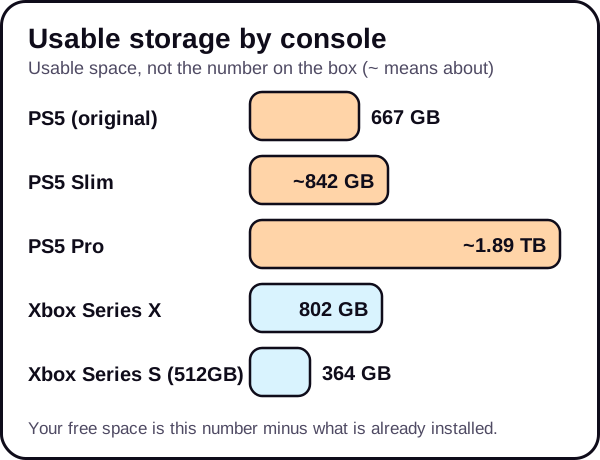
The storage on the box is not the space you can use. The system takes part of it. These are the usable figures:
| Console | Usable storage |
|---|---|
| PS5 (original) | 667 GB |
| PS5 Slim | about 842 GB |
| PS5 Pro | about 1.89 TB |
| Xbox Series X | 802 GB |
| Xbox Series S (512GB model) | 364 GB |
Your free space is that number minus what your games, captures and apps already use.
What to do with the number
- Compare it with big games you have. If GTA V Enhanced or Red Dead Redemption 2 is installed, check their size. They are the closest real references for a large Rockstar game, but GTA 6 is a new game and could differ.
- Plan for more than you think. If your free space is close to the size of those games, you probably need to clear room.
- Make a plan. Use our step-by-step guides for PS5 and Xbox Series X|S.
For the bigger picture, read how much storage you need for GTA 6 on PS5 and, if you own the smaller model, the Xbox Series S guide.
A simple example
Say your console shows 120 GB free and your biggest installed game takes 150 GB. You can already see that you need to clear more than that before a large new game fits, even before Rockstar publishes a size. That one comparison tells you where to start: uninstall the biggest games you no longer play, and clear captures. This is only an example, not a GTA 6 figure.
Tips
- Check again before November 12. Updates and new downloads change the number.
- Check every drive. An expansion card or external drive has its own free space.
- Take a note. Keep the number on your phone so you can compare as you free space.
The short version
- PS5: Settings, then Storage. Xbox: Settings, then System, then Storage devices.
- Write down your free space.
- Compare with big games you own and plan for more than you think.
See the Storage & Downloads hub and the GTA 6 setup checklist.
We update this guide when Rockstar confirms the file size.
Frequently asked questions
How much storage does my console have in total?
Usable storage is 667 GB on the original PS5, about 842 GB on the PS5 Slim and about 1.89 TB on the PS5 Pro. On Xbox, it is 802 GB on the Series X and 364 GB on the 512GB Series S.
Why is my free space lower than the box says?
The system software uses part of the drive, so the usable space is lower than the number on the box.
Does it count extra drives?
The storage screen usually lists each drive separately, so check each one.